> For the complete documentation index, see [llms.txt](https://docs.dinmo.io/llms.txt). Markdown versions of documentation pages are available by appending `.md` to page URLs; this page is available as [Markdown](https://docs.dinmo.io/customer-hub/profiles-api/set-up.md).

# Set up the Personalization API

## Before you start

Make sure the Personalization API is enabled in your workspace. You also need a DinMo model that contains one row per record you want to retrieve, along with the fields your application needs.

Choose a stable, unique lookup key such as `customer_id`. Keep the response small and include only the fields that are needed at request time.

## Create an activation

1. From your model or segment, create a new activation.
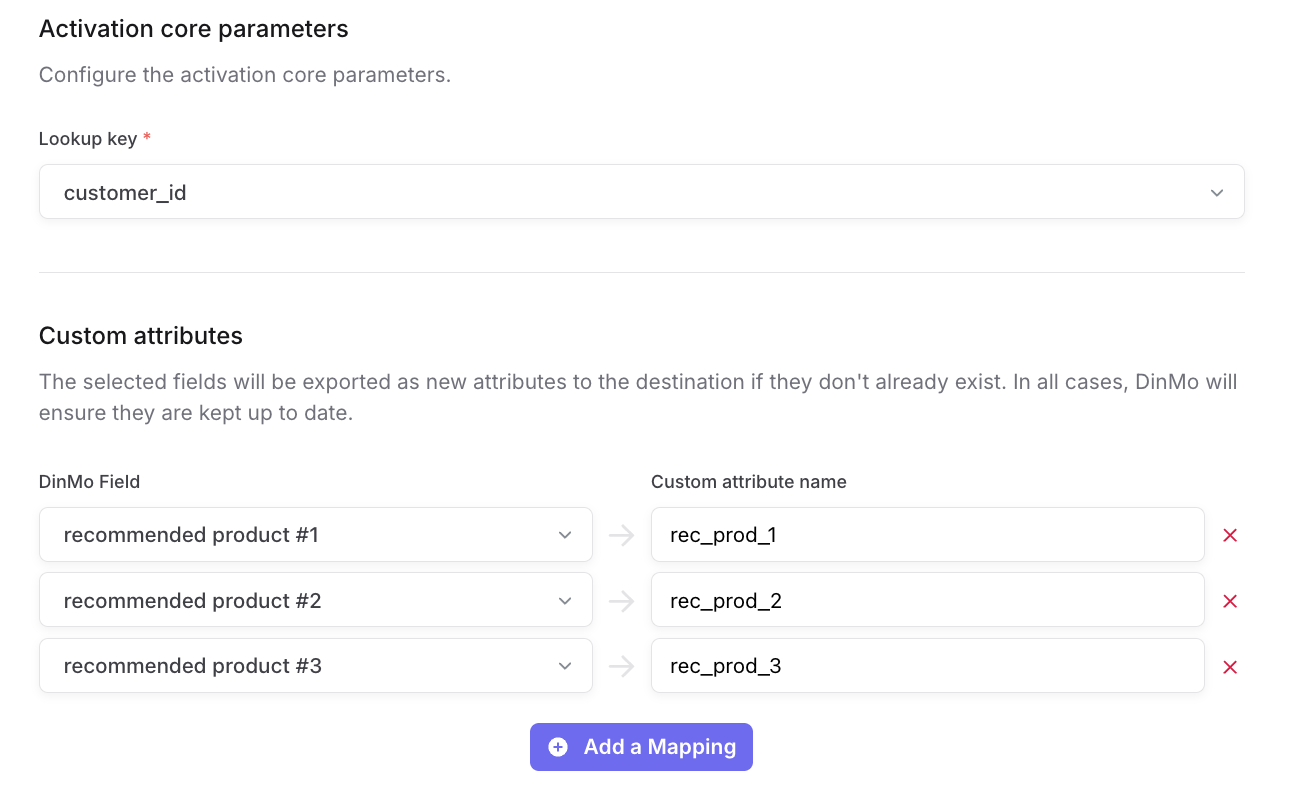
2. In **Select your destination**, select **Personalization API** under **Native**.
3. Continue to the activation configuration.

<figure><img src="/files/Y6KwXpw4R380jUTtYEXz" alt="The Personalization API option in the Native destinations list"><figcaption><p>Select Personalization API as the destination.</p></figcaption></figure>

## Configure the lookup key and attributes

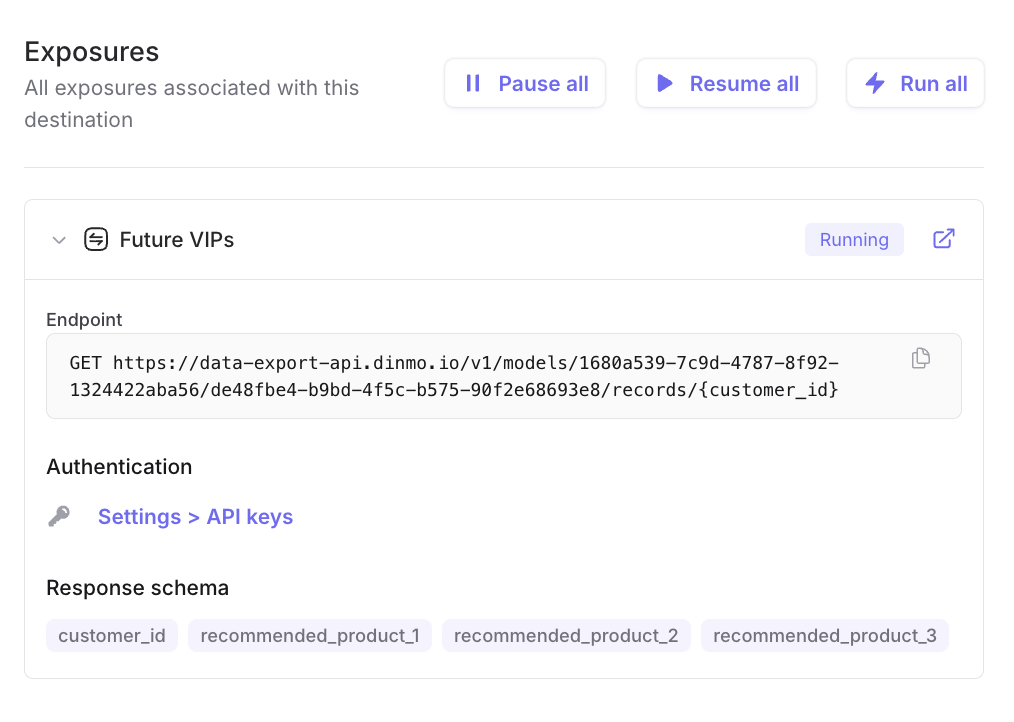
Choose the field DinMo should use to look up a record. This is the value your application includes in the endpoint URL.

Then select the fields to include in the response and enter the attribute names your application expects. DinMo creates the attributes when needed and keeps their values up to date.

<figure><img src="/files/wqKZb4THYMqppR8crcDM" alt="Activation configuration with a lookup key and custom attribute mappings"><figcaption><p>Choose a lookup key and map the fields returned by the API.</p></figcaption></figure>

## Run the activation and find the endpoint

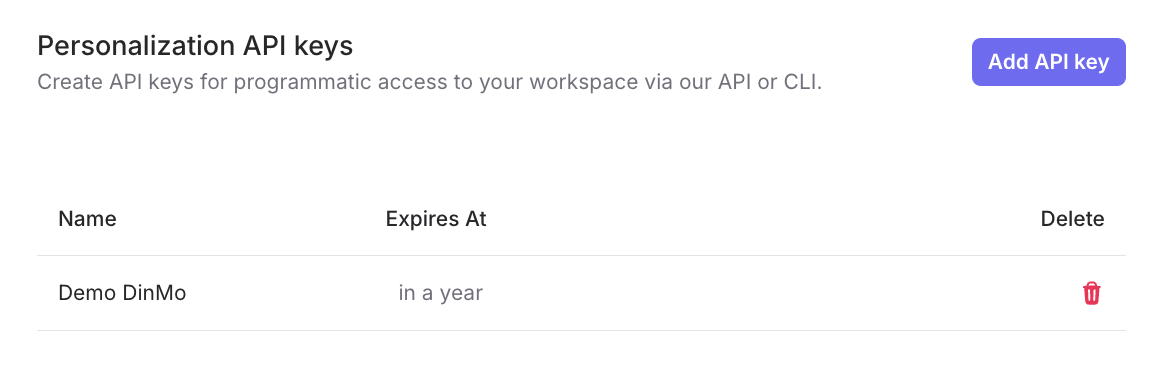
Save and run the activation. In the destination's **Exposures** tab, expand the exposure to find:

* The endpoint to call, including the model, activation, and lookup-key placeholder.
* A link to create or manage API keys.
* The response schema, which lists the fields returned for that exposure.

<figure><img src="/files/xOuPsGtkaafS6KQclQee" alt="A Personalization API exposure showing its endpoint, authentication link, and response schema"><figcaption><p>Each exposure provides a ready-to-use endpoint and its response schema.</p></figcaption></figure>

## Create and manage API keys

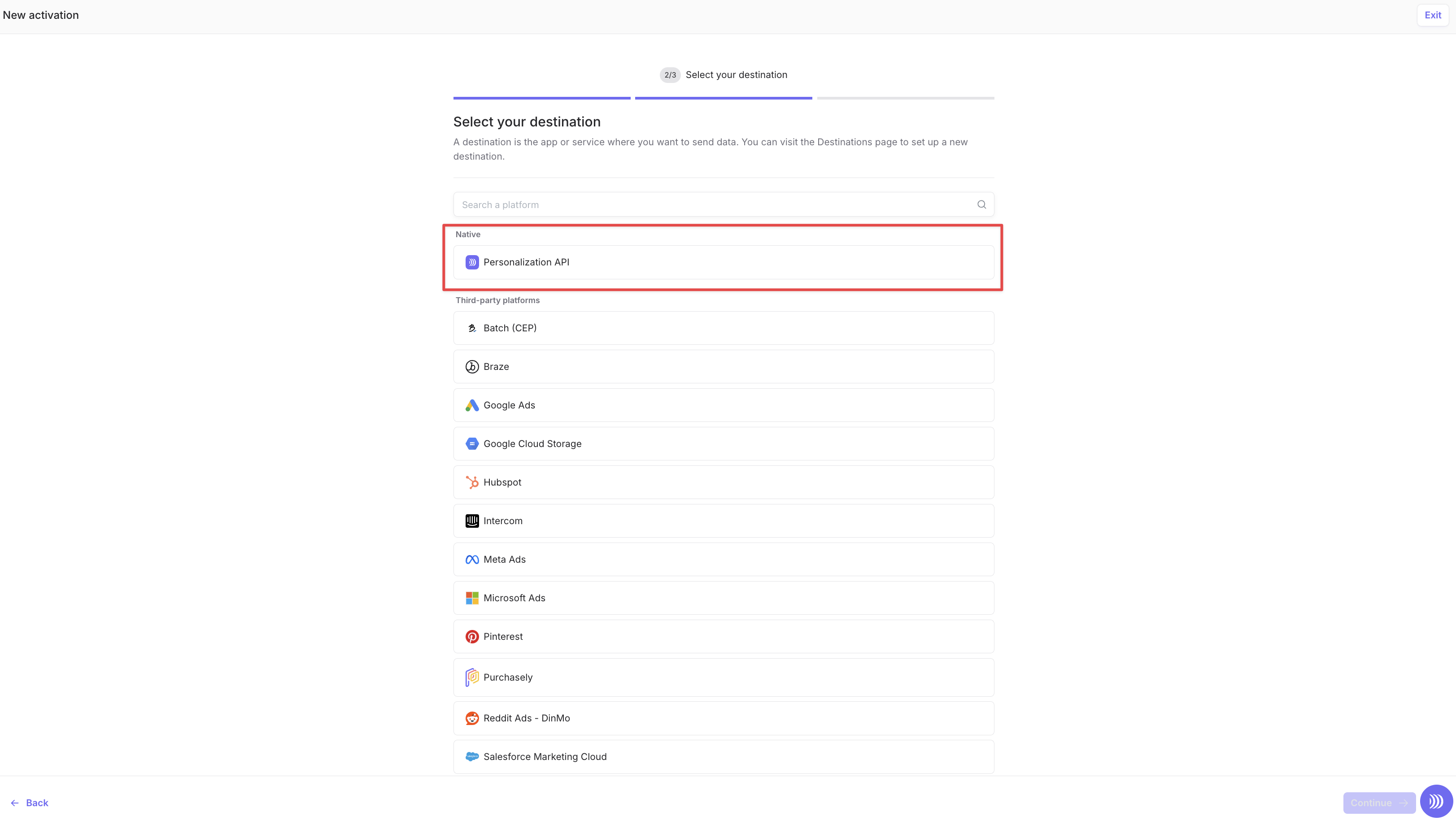
Open **Settings > API keys**, then select **Add API key**. Store the key in your server-side secret manager; it is required to authenticate every request.

Delete keys that are no longer needed and rotate keys as part of your security practices.

<figure><img src="/files/RUpUEmIkJ0FCF4FNkxOL" alt="The Personalization API keys settings page"><figcaption><p>Create, review, and delete Personalization API keys from Settings.</p></figcaption></figure>

## Test the endpoint

Use the endpoint displayed in the exposure and replace the lookup-key placeholder with a real value. Add your API key as a Bearer token. See the [Personalization API reference](/customer-hub/profiles-api/api-reference.md) for a complete request example.

## Production checklist

* Use a dedicated model for the data served through the API.
* Keep a stable response contract: rename or remove mapped fields only after updating consumers.
* Serve only the fields required by the application.
* Define a fallback in your application for a missing record or unavailable service.
* Monitor API usage and rotate keys regularly.


---

# Agent Instructions
This documentation is published with GitBook. GitBook is the documentation platform designed so that both humans and AI agents can read, navigate, and reason over technical content effectively. Learn more at gitbook.com.

## Querying This Documentation
If you need additional information that is not directly available in this page, you can query the documentation dynamically by asking a question.

Perform an HTTP GET request on the current page URL with the `ask` query parameter, and the optional `goal` query parameter:

```
GET https://docs.dinmo.io/customer-hub/profiles-api/set-up.md?ask=<question>&goal=<endgoal>
```

`ask` is the immediate question: it should be specific, self-contained, and written in natural language.
`goal` is optional and describes the broader end goal you are ultimately trying to accomplish on behalf of the user. GitBook uses it to tailor the answer towards what is most useful for that goal.

The response will contain a direct answer to the question and relevant excerpts and sources from the documentation.

Use this mechanism when the answer is not explicitly present in the current page, you need clarification or additional context, or you want to retrieve related documentation sections.