> For the complete documentation index, see [llms.txt](https://docs.dinmo.io/llms.txt). Markdown versions of documentation pages are available by appending `.md` to page URLs; this page is available as [Markdown](https://docs.dinmo.io/integrations/destination-platforms/batch/synchronize-catalog-attributes.md).
# Synchronize catalog attributes
## Overview
This destination allows you to synchronize items from DinMo to a catalog in Batch.
Catalogs in Batch store structured collections of items such as products, offers, locations, or any other objects that can be used for personalization and messaging.
Using this destination, DinMo can:
* Create catalog items
* Update existing items
* Remove items from a catalog
* Keep the catalog synchronized with your data warehouse
Data is synchronized using the [Batch Catalog API](https://doc.batch.com/developer/api/cep/catalogs/create).
## Destination Setup
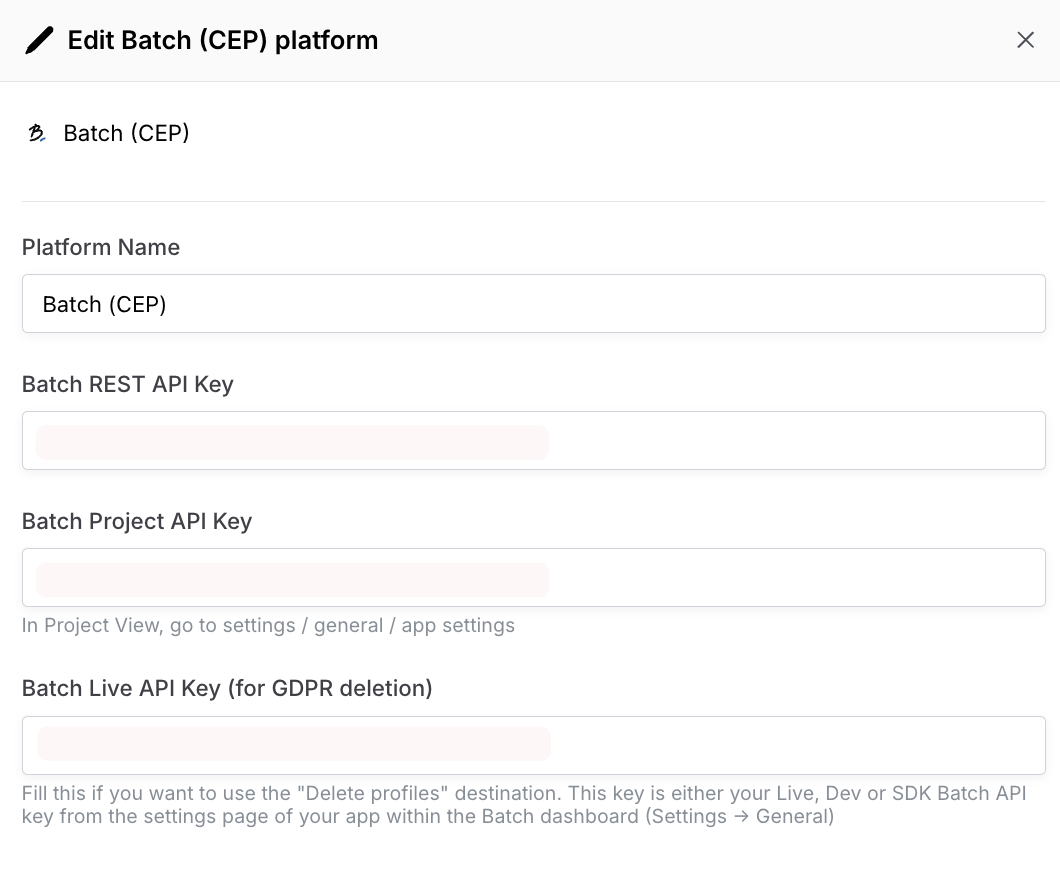
Before activating a synchronization, you must configure the Batch platform in DinMo.
To configure the destination, you will need the following information from your Batch project:
| Field | Description |
| ------------------ | -------------------------------------------------------------------------------------------------------------------- |
| Project Key | Your Batch project identifier |
| REST API Key | The API key used to authenticate API calls |
| Batch Live API Key | This key is either your Live, Dev or SDK Batch API key from the settings page of your app within the Batch dashboard |
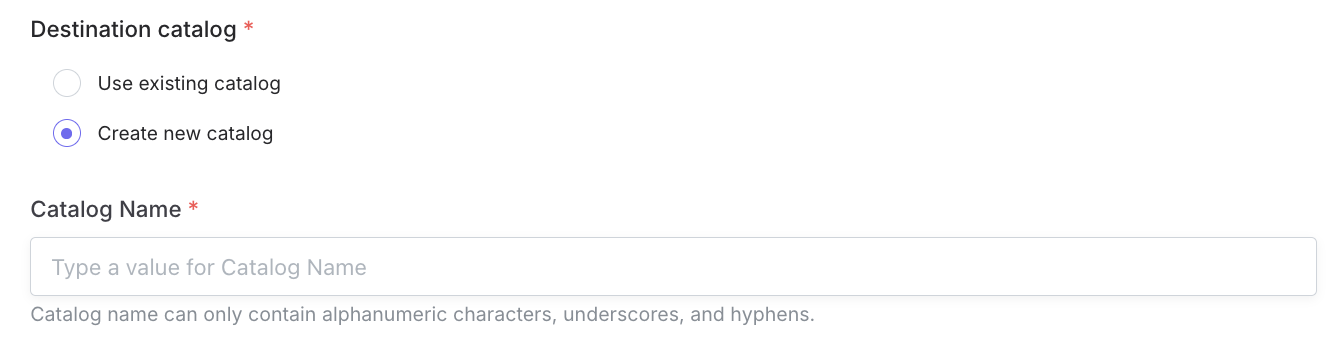
A **catalog** **destination in DinMo corresponds to a catalog in Batch**.
You can therefore:
* connect DinMo to an **existing catalog**, or
* create a **new catalog** in Batch and synchronize data into it.
If the catalog does not already exist, DinMo will create it automatically when the first synchronization is executed.
## Activation configuration
Once the destination has been setup, and your DinMo segment (or model) created, you can create an activation to start sending data to Batch right away.
When activating the destination, you must choose how items should be synchronized between DinMo and Batch.
Several synchronization modes are supported.
### Full then Delta
This mode performs:
1. An initial **full export** of all items
2. Then **incremental updates** on subsequent runs
Two operations are available:
* **Upsert**
Items included in the synchronization are:
* created if they do not exist
* updated if they already exist
Existing items that are not part of the synchronization remain unchanged.
* **Mirror**
The catalog in Batch will **mirror the dataset exported by DinMo**.
This means:
* Items present in the synchronization are created or updated
* Items that are no longer present in the dataset are **deleted from the catalog**
This ensures that the catalog always reflects the exact state of the source dataset.
### Full Only
In this mode, every execution performs a **full export**.
Two operations are available.
* **Upsert**
All exported items are created or updated in the catalog. Items not present in the export remain unchanged in Batch.
* **Delete Only**
Items included in the synchronization are **deleted from the catalog**. This mode can be used to remove items based on a segment or dataset defined in DinMo.
## **Fields mapping**
In the Fields mapping section, you are asked to specify the field contained in your DinMo segment that Batch will use to link each segment's records to a Batch product (Product ID).
You can also map other attributes that already exist in your catalog.
**Custom Attributes**
In this section, any field you select will be exported as a new custom attribute in Batch. The associated field will have the same name in Batch and DinMo.
These values of the attributes selected here will then be updated at each activation.
{% hint style="warning" %}
Attribute names should be made of letters, numbers or underscores (\[a-z0-9\_]). They cannot be longer than 30 characters and cannot contain uppercase characters.
{% endhint %}
## Schedule
You can configure when the synchronization should run.
Typical schedules include:
* hourly updates
* daily updates
* custom schedules depending on catalog update frequency
---
# Agent Instructions
This documentation is published with GitBook. GitBook is the documentation platform designed so that both humans and AI agents can read, navigate, and reason over technical content effectively. Learn more at gitbook.com.
## Querying This Documentation
If you need additional information that is not directly available in this page, you can query the documentation by asking a question.
Perform an HTTP GET request on the following URL with the `ask` and `goal` query parameters:
```
GET https://docs.dinmo.io/integrations/destination-platforms/batch/synchronize-catalog-attributes.md?ask=&goal=
```
`ask` is the immediate question: it should be specific, self-contained, and written in natural language.
`goal` is what the user is ultimately trying to achieve, the reason they need the answer. Sharing it helps GitBook give you a better, more relevant answer. A goal is most helpful when it describes the outcome the user wants rather than restating the question. For example, with `ask=how do I create an API token`, a goal like `automate deployments from our CI pipeline` lets GitBook tailor the answer to that use case.
The response will contain a direct answer to the question and relevant excerpts and sources from the documentation.
Use this mechanism when the answer is not explicitly present in the current page, you need clarification or additional context, or you want to retrieve related documentation sections.