> For the complete documentation index, see [llms.txt](https://docs.dinmo.io/llms.txt). Markdown versions of documentation pages are available by appending `.md` to page URLs; this page is available as [Markdown](https://docs.dinmo.io/integrations/destination-platforms/voyado-engage/synchronize-users-attributes.md).
# Synchronize users attributes
Sync your models profiles and attributes into your Dotdigital account to build customer connections with personalized campaigns
## Synchronize users attributes
### Overview
In this destination service, DinMo will export and update attributes in the Voyado contact database.
Use this destination service when you want to enrich Voyado contacts with profile-level data coming from your Data Warehouse, such as customer attributes, operational fields, calculated fields, or predictive scores.
To do so, you will need to go through these three steps:
1. Create a Voyado destination. Refer to the corresponding section for more info.
2. Create a user model or segment composed of the contacts and attributes you want to synchronize.
3. Activate the model or segment to the Voyado destination to start sending data.
Each time the activation runs:
* all mapped attribute values that have changed since the last sync will be updated in Voyado
* if you use **UPSERT** mode, new contacts can also be inserted in Voyado
* if you use **UPDATE** mode, only existing contacts will be updated
This destination service is typically used to make DinMo-computed profile data available in Voyado for segmentation, personalization, and CRM execution.
### Before you start
Before configuring this destination service, make sure:
* you know which Voyado contact identifier you want to use
* the target contact fields already exist in Voyado
* if you plan to insert new contacts, you know which mandatory fields are required by your Voyado setup
Voyado contact types and data models can vary from one implementation to another, and custom fields can be configured depending on the customer project.
### Destination setup
To start synchronizing user attributes, you are first required to create a Voyado destination with the corresponding destination service.
To connect DinMo to Voyado, you will need:
* your Voyado Tenant URL
* a Voyado API key with access to the Engage API
DinMo uses the standard Voyado authentication flow for destination services.
### Activation configuration
Once the destination has been set up, and your DinMo model or segment created, you can create an activation to start sending data to Voyado right away.
#### Sync modes
Sync modes determine how data is synchronized between DinMo and Voyado.
For the Voyado Attributes destination, the following sync modes are available:
| Sync mode | Description | Typical use case | Behavior |
| ---------- | ------------------------------------------------------------------------------------------------------------------- | ---------------------------------------------------------------------------------------------------------------------------- | ----------------------------------------------------------------------------------------------- |
| **UPDATE** | Processes only changed records detected since the last sync and updates existing contacts. New records are ignored. | Enriching an existing Voyado database with additional attributes such as churn scores, loyalty information, or offline data. | Detects modified records, updates existing contacts only, does not create new contacts. |
| **UPSERT** | Processes new and changed records, inserting new contacts and updating existing ones. | Standard synchronization when DinMo should both create and enrich contacts in Voyado. | Detects new and updated records, inserts new contacts when possible, updates existing contacts. |
#### Run behavior
This destination service behaves like a profile synchronization flow.
Each time the sync runs, DinMo compares the current state of your source model with the previous successful run and only sends the relevant profile updates according to the selected sync mode.
### Fields mapping
In the **Fields mapping** section, you are asked to specify the field contained in your DinMo model corresponding to the identifier used to match records with Voyado contacts.
Depending on your setup, this is typically:
* `Email`
* `contactId` if it is already available in your warehouse
At least one identifier must be mapped.
If `contactId` is available in your data warehouse, this is generally the recommended identifier, as it avoids ambiguity.
### Fields mapping
In the **Fields mapping** section, you can choose which DinMo fields should be synchronized to Voyado existing contact fields.
Typical examples include:
* Voyado default attributes such as first name, email, country, or city.
* custom attributes already configured in your Voyado Platform
Only mapped fields are synchronized.
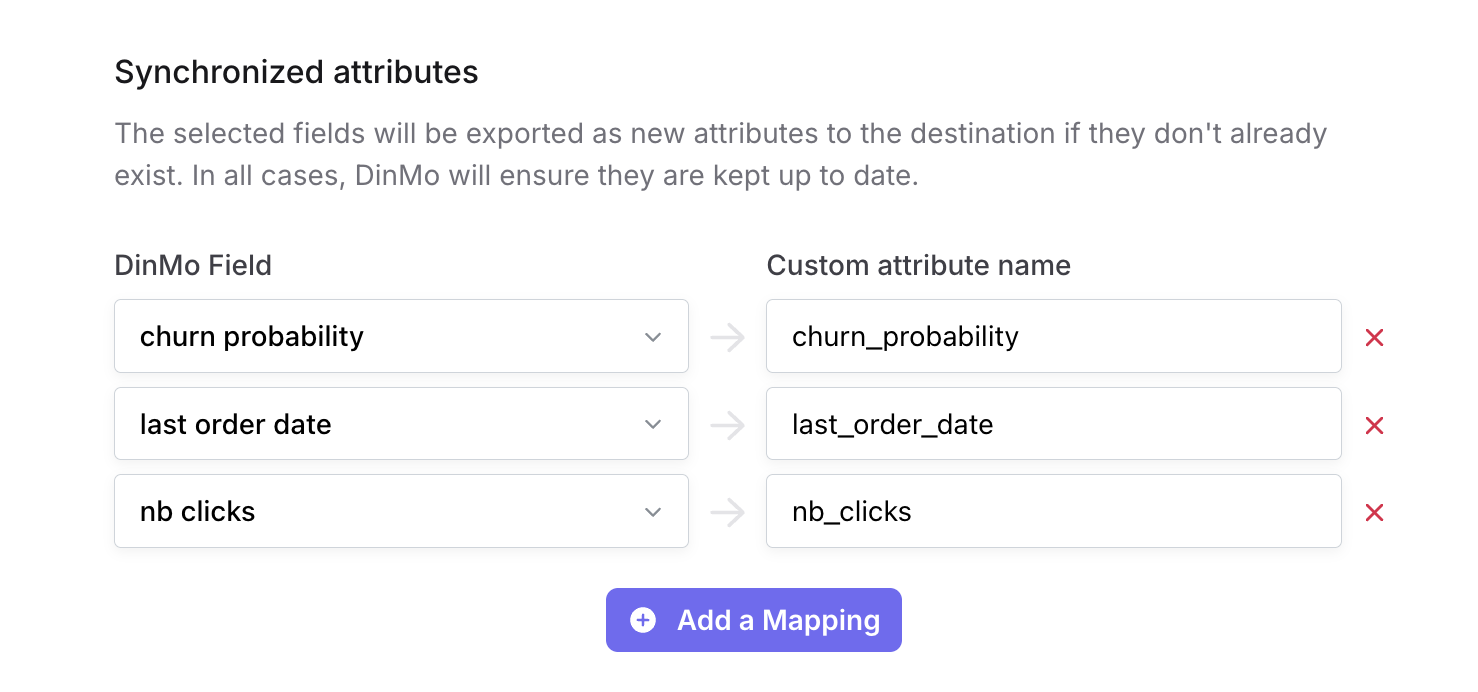
### Custom Attributes mapping
In this section, any field you select will be exported as a new custom attribute in Voyado. The associated field will have the same name in Batch and DinMo.
#### Mapping recommendations
For best results, we recommend:
* using a stable identifier across all Voyado activations
* keeping field names aligned with the fields configured in Voyado
* sending only fields that should actually be updated
* validating the field type and allowed values in Voyado before enabling a production sync
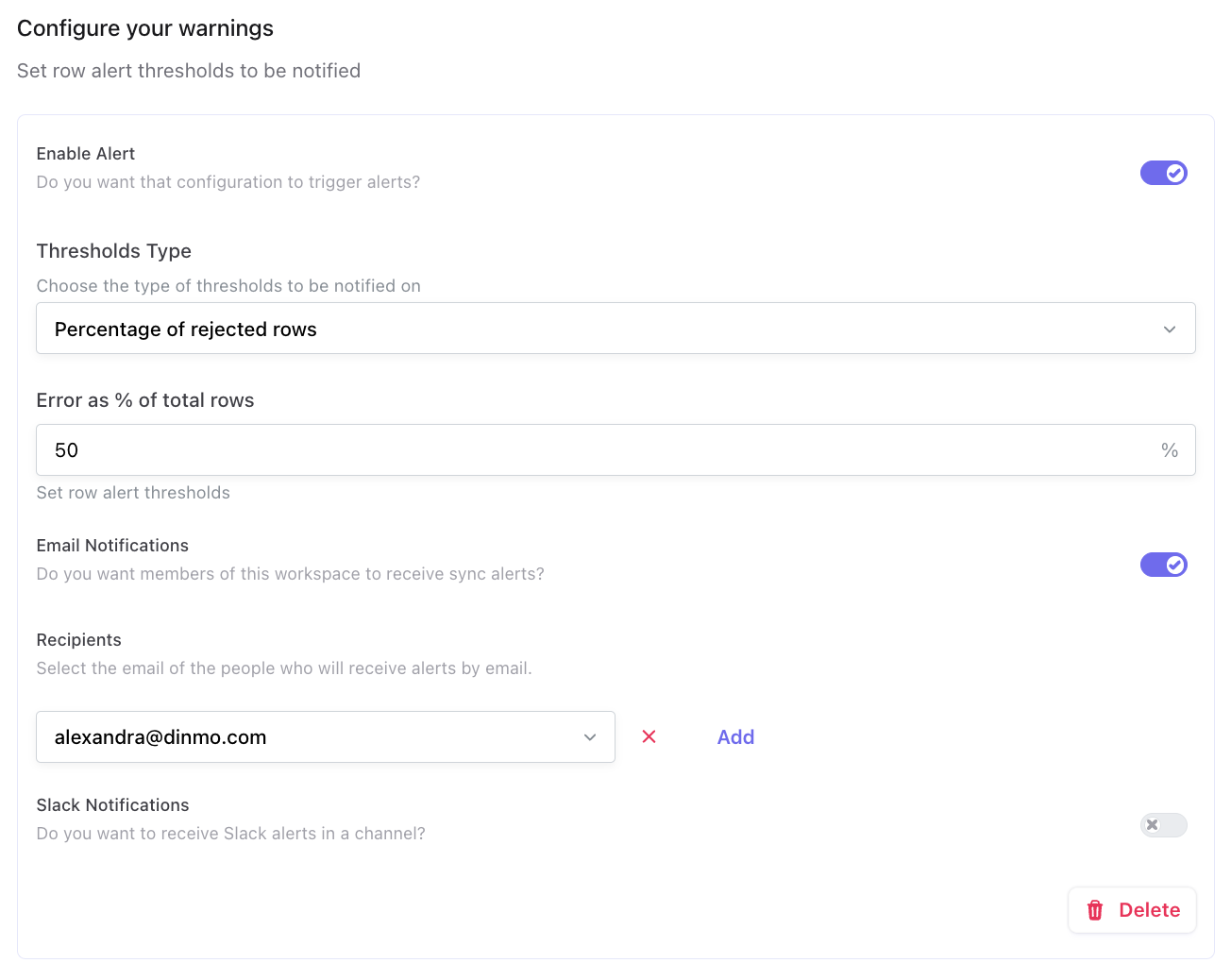
#### Warnings
In this section, specify if you want to receive warning for your Dotdigital activation.
{% hint style="info" %}
Consult the specific section to [learn more about sync warnings](/activations/troubleshooting-syncs/sync-warnings.md).
{% endhint %}
### Important notes
#### Avoid sending empty values
When updating contacts in Voyado, empty values in the payload overwrite the existing values on the contact. Because of this, only fields that should actually be updated should be sent.
#### Contact model and custom fields depend on your Voyado setup
Voyado contact types and available fields are configurable. The exact data model, mandatory fields, and custom fields available in your environment may differ from one project to another.
#### Field names must match the Voyado configuration
If a field name does not exist in the target Voyado configuration, Voyado may ignore it without returning a blocking error. It is therefore important to validate field names carefully.
#### UPSERT requires a valid contact creation setup
If you use **UPSERT**, make sure the data required to create new contacts is available in your DinMo model and aligned with the rules of your Voyado configuration.
### Recommended use cases
Use **Synchronize users attributes** when you want DinMo to enrich Voyado contacts with warehouse-derived data.
Typical examples include:
* syncing CRM enrichment fields
* syncing loyalty or customer lifecycle attributes
* syncing predictive scores
* syncing operational profile data needed for personalization
### When not to use this destination service
Do not use this service when your main goal is to:
* sync audience membership as labels
* manage email or SMS consent status through audience membership
* send event-style data attached to a contact
For those use cases, use the corresponding Voyado destination services instead.
### Official references
* [Voyado Engage destination Platform overview](/integrations/destination-platforms/voyado-engage.md)
* [Voyado official documentation – Contacts](https://developer.voyado.com/docs/contacts/about-contacts)
* [Voyado official documentation – Update contact](https://developer.voyado.com/docs/contacts/update-contact)
---
# Agent Instructions
This documentation is published with GitBook. GitBook is the documentation platform designed so that both humans and AI agents can read, navigate, and reason over technical content effectively. Learn more at gitbook.com.
## Querying This Documentation
If you need additional information that is not directly available in this page, you can query the documentation by asking a question.
Perform an HTTP GET request on the following URL with the `ask` and `goal` query parameters:
```
GET https://docs.dinmo.io/integrations/destination-platforms/voyado-engage/synchronize-users-attributes.md?ask=&goal=
```
`ask` is the immediate question: it should be specific, self-contained, and written in natural language.
`goal` is what the user is ultimately trying to achieve, the reason they need the answer. Sharing it helps GitBook give you a better, more relevant answer. A goal is most helpful when it describes the outcome the user wants rather than restating the question. For example, with `ask=how do I create an API token`, a goal like `automate deployments from our CI pipeline` lets GitBook tailor the answer to that use case.
The response will contain a direct answer to the question and relevant excerpts and sources from the documentation.
Use this mechanism when the answer is not explicitly present in the current page, you need clarification or additional context, or you want to retrieve related documentation sections.